Model a structural connectome
This tutorial will demonstrate how to generate a structural connectivity matrix \(G\) using the Normand et al. (2025) model,
where:
\(G_{ij}\) denotes the connectivity strength between cortical vertices \(i\) and \(j\)
\(\psi_m(i)\) denotes the amplitude of the \(m^{th}\) geometric eigenmode at vertex \(i\)
\(\lambda_m\) denotes the \(m^{th}\) eigenvalue
\([\ \ ]^+\) denotes the Moore–Penrose pseudoinverse
\(r_s\) denotes the spatial length scale parameter
\(k\) denotes the number of modes used
As in the previous tutorials, we begin by initialising the EigenSolver with a cortical surface and medial wall mask, then solving for the first 120 eigenmodes. To reduce computation and plotting time, we can use the fsLR-4k mesh.
from importlib.resources import files, as_file
from neuromodes import EigenSolver
from neuromodes.io import fetch_surf
from nsbutils.plotting import plot_surf, plot_heatmap
from nsbutils.utils import unmask

mesh, medmask = fetch_surf(density='4k', hemi='R')
solver = EigenSolver(mesh, mask=medmask).solve(120)
We can then call the model_connectome class method:
G = solver.model_connectome()
Note that \(r_s=9.53\) and \(k=108\) are used by default, in line with the paper.
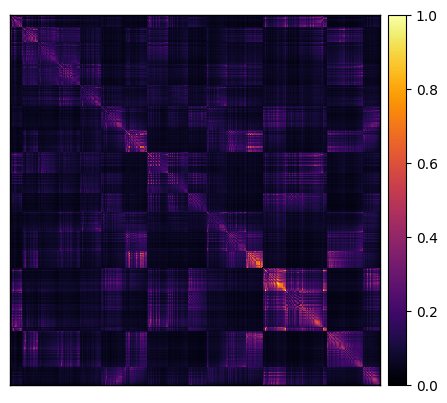
We can visualise the structural connectivity matrix using plot_heatmap, from our nsbutils
package:
plot_heatmap(G, cmap='inferno', cbar=True)
<Axes: >
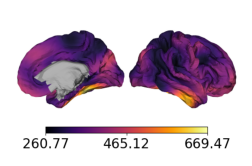
We can also visualise the vertex-averaged connectivity on the cortical surface, this time using
plot_surf from nsbutils:
nodal_sc = G.sum(axis=0)

# Path to surface
rh_surfpath = files('neuromodes.data') / 'sp-human_tpl-fsLR_den-4k_hemi-R_midthickness.surf.gii'

with as_file(rh_surfpath) as rh_surfpath:
    plot_surf(
        rh_surfpath,
        unmask(nodal_sc, medmask),
        cmap='inferno',
        cbar=True
    )

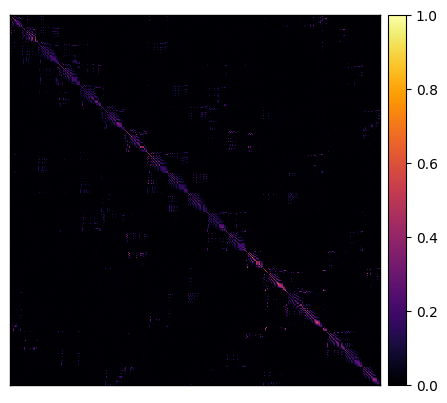
To explore the model further, we can generate another connectome but only use 5 modes instead of the default 108:
G_k5 = solver.model_connectome(k=5)

plot_heatmap(G_k5, cmap='inferno', cbar=True)

with as_file(rh_surfpath) as rh_surfpath:
    plot_surf(
        rh_surfpath,
        unmask(G_k5.sum(axis=0), medmask),
        cmap='inferno',
        cbar=True
    )
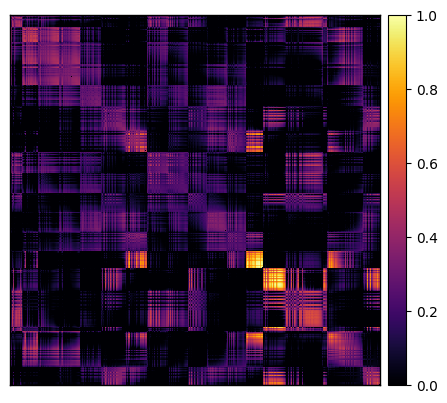
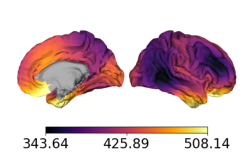
What about if we instead increase the spatial length scale parameter from 9.53 to 95.3?
G_r95 = solver.model_connectome(r=95.3)

plot_heatmap(G_r95, cmap='inferno', cbar=True)

with as_file(rh_surfpath) as rh_surfpath:
    plot_surf(
        rh_surfpath,
        unmask(G_r95.sum(axis=0), medmask),
        cmap='inferno',
        cbar=True
    )